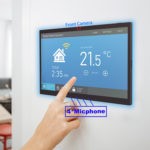
Wall mounted Tablet

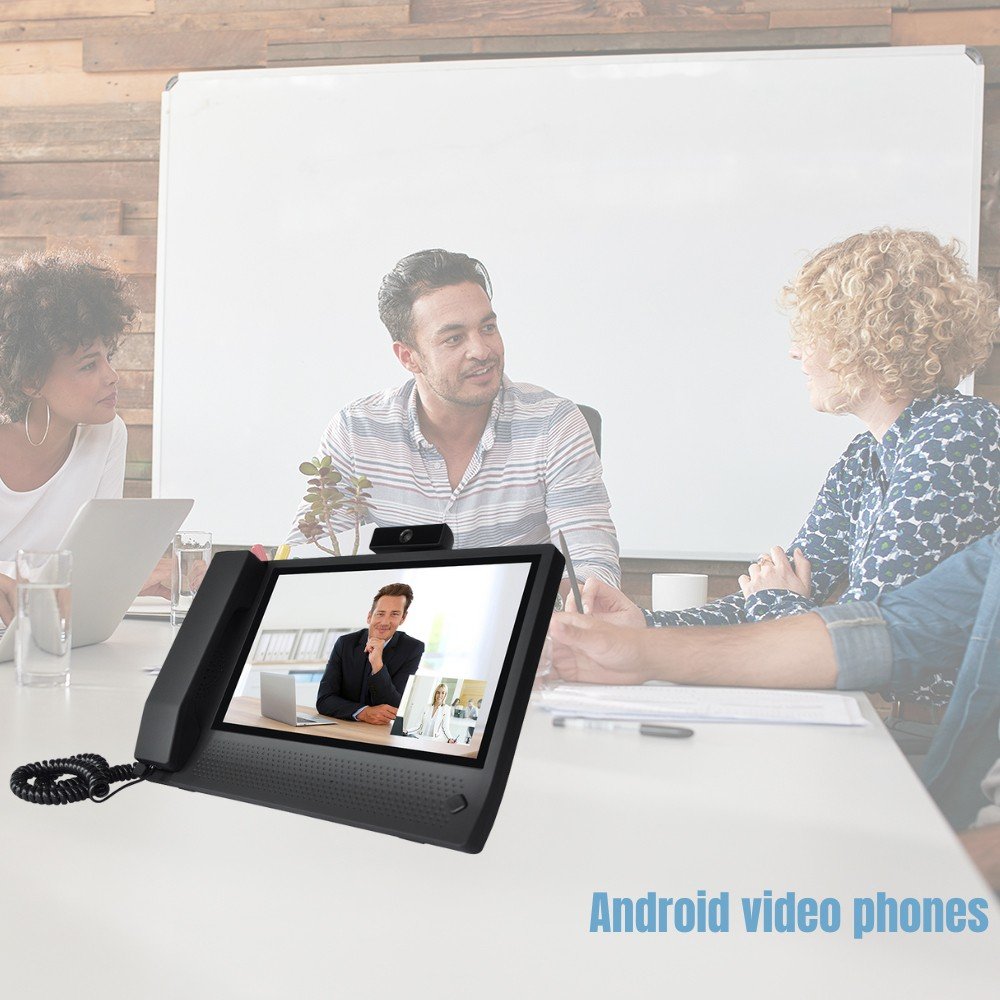
Revolucione la comunicación con nuestros videoteléfonos Android

In today’s hybrid work and digital-first environments, efficient, reliable, and flexible communication tools are more important than ever. Whether you’re managing remote teams, coordinating in-office meetings, or offering customer support, our Android video phones provide the ultimate all-in-one solution for professional-grade video calls, smart intercoms, and unified communication systems.

📱 Available in 7″, 8″, and 11.6″ Models – Designed to Fit Any Space

Choose the ideal screen size for your setup:

  • 7″ Android Video Phone – Compact, perfect for desktops, counters, and smart kiosks
  • 8″ Android Video Phone – Balanced size for office desks, reception areas, and patient rooms
  • 11.6″ Android Video Phone – Larger screen ideal for conference rooms, smart terminals, or video concierge stations

All models come with touchscreen functionality, sleek design, and wall or desktop mounting options.


🌐 Built for Ultimate Connectivity – 4G, WiFi, and Ethernet Support

Stay connected, no matter your environment. Our Android video phones support:

  • 4G LTE – Ideal for remote locations or backup connections
  • Dual-band WiFi – For high-speed wireless access
  • Gigabit Ethernet – Reliable wired connection for secure networks

With flexible connection options, our devices are ready to perform in offices, hospitals, hotels, government buildings, and remote workstations.


🎥 Compatible with All Major Android Communication Apps

Our video phones run on Android OS, meaning you can install and use any of the following:

  • Microsoft Teams
  • Zoom
  • Google Meet
  • Skype
  • WhatsApp
  • DingTalk
  • Slack Video
  • Jitsi Meet, and many more

Whether you’re joining a meeting, hosting a webinar, or offering virtual assistance, your favorite apps are just a tap away.


🔧 All-in-One Hardware for Video Conferencing and Smart Communication

Each Android video phone is equipped with:

  • HD Camera – Clear, crisp video calls
  • Built-in Microphone & Speaker – High-quality audio with echo cancellation
  • Touchscreen Display – Smooth and intuitive interface
  • Optional PoE (Power over Ethernet) – Clean installation without extra power cords

These features make it ideal for:

  • Video reception desks
  • Doctor-patient consultations
  • Virtual customer service
  • Internal team communication
  • Visitor access systems
  • Smart home and building intercoms

Use Cases Across Industries

These video phones are already being used in:

  • Corporate offices – For internal meetings, remote team communication, and video-enabled reception desks
  • Healthcare – For telemedicine consultations, nurse stations, and remote monitoring
  • Hospitality – Virtual concierge, guest services, and room-to-front desk calls
  • Smart buildings & apartments – Secure door communication and access control
  • Retail & banks – Self-service customer assistance terminals

Why Choose Our Android Video Phones?

Compact sizes: 7”, 8”, and 11.6” for every setup

Ultra-reliable connectivity: 4G, WiFi, Ethernet

Android OS: Open to all your essential apps

Plug & play: Simple setup, minimal maintenance

Business-ready: Built for 24/7 operation

Can I use Microsoft Teams, Zoom, or Google Meet on these video phones?

A: Yes! Our Android video phones are fully compatible with all major Android communication apps, including Teams, Zoom, Google Meet, Skype, WhatsApp, and more.

Are these video phones plug-and-play?

A: Absolutely. With Android OS, simple UI, and flexible power options (including PoE), setup is quick and user-friendly—just power it up, connect to a network, and install your preferred apps.

Do I need WiFi to use the video phone?

A: No. In addition to WiFi, these devices support Ethernet for wired connections and 4G for mobile use, giving you multiple options for stable, uninterrupted connectivity.

Are these video phones suitable for 24/7 usage in commercial environments?

A: Yes. All models are built for reliable 24/7 operation, making them perfect for public spaces, reception areas, and business-critical environments.

Do they support remote updates or device management?

A: Yes, with Android Device Management (MDM) platforms, you can manage apps, push updates, and monitor devices remotely—great for large-scale deployments.

Revolutionize Communication with Our Android Video Phones Read More »
El futuro de la atención médica: Pantallas interactivas que revolucionan la interacción con el paciente

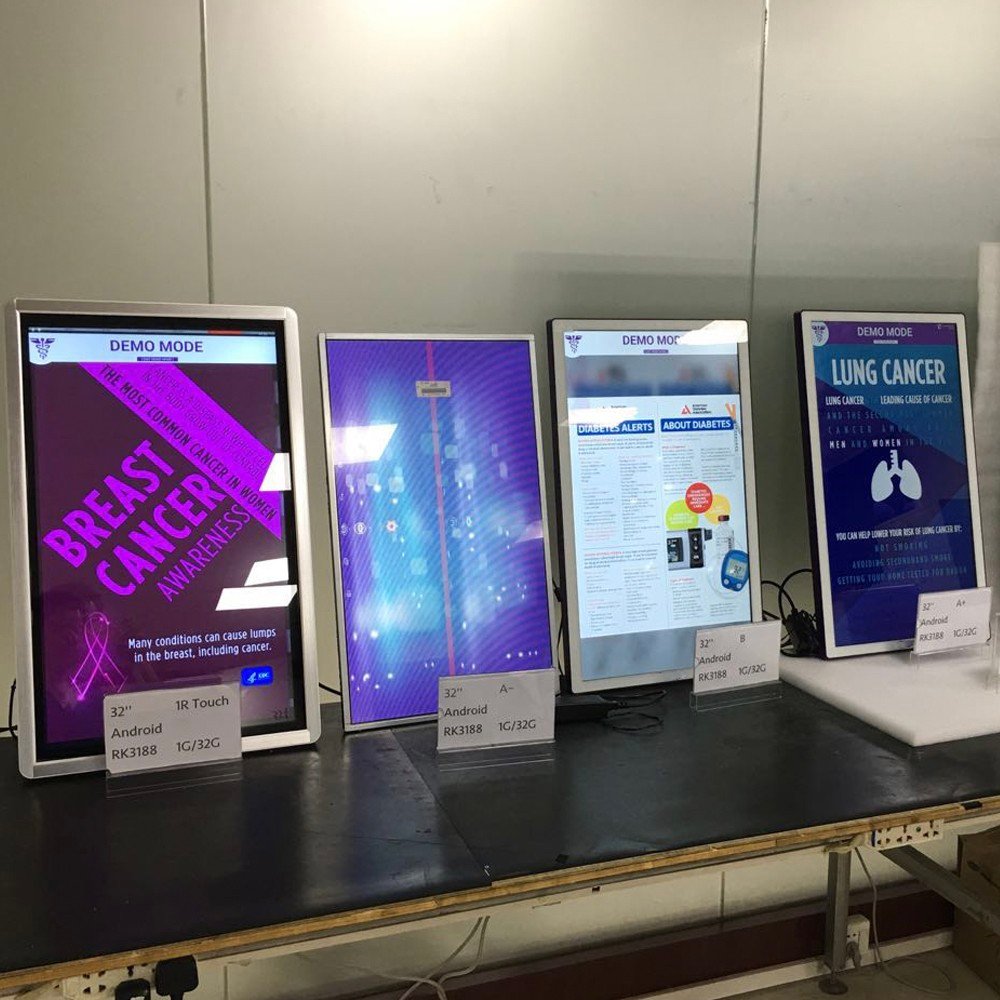
In today’s fast-paced healthcare environment, technology plays a pivotal role in enhancing patient care and operational efficiency. One of the most innovative advancements is the interactive display for healthcare, designed to improve communication, education, and engagement between healthcare providers and patients. This article explores the features and benefits of our cutting-edge interactive display, highlighting its unique specifications and applications in healthcare settings.

Key Features of Our Interactive Display

1. Android OSD

The interactive display is equipped with advanced touch screen technology, enabling seamless interaction. Whether it’s for patient education or staff training, the touch functionality ensures that users can engage with the content effortlessly.

2. Powerful Performance with Rockchip 3399

At the heart of our display is the Rockchip 3399 processor, which delivers high performance for multitasking and running demanding applications. This ensures that healthcare providers can use the display for various purposes without lag or interruptions.

3. Ample Storage and Memory

With 4GB RAM and 32GB ROM, our interactive display provides sufficient memory and storage for applications, patient data, and multimedia content. This capability is crucial for healthcare environments where quick access to information is essential.

4. Versatile Connectivity

Our display is designed with multiple connectivity options, including:

  • HDMI In for connecting other video resources.
  • WiFi and RJ45 for reliable internet connection, allowing access to online resources and cloud-based applications.
  • Bluetooth support for connecting peripherals and devices wirelessly.
5. In-Cell Technology

The in-cell technology used in our displays enhances image quality and touch responsiveness, providing a superior user experience. This is particularly beneficial in healthcare settings where clear visuals and quick response times are critical.

6. Available Sizes

Our interactive display is available in various sizes to suit different healthcare environments:

  • 14 inch – Ideal for small spaces or personal use.
  • 16 inch – A versatile option for patient rooms or consultation areas.
  • 21.5 inch – Perfect for waiting areas or small clinics.
  • 24 inch – Suitable for larger spaces that require more visibility.
  • 32 inch – Excellent for presentations or interactive kiosks.

Benefits of Interactive Displays in Healthcare

Enhanced Patient Engagement

Interactive displays empower patients by providing them with access to educational content about their conditions and treatments. This fosters better understanding and involvement in their healthcare journey.

Improved Communication

These displays facilitate clear communication between healthcare providers and patients, ensuring that important information is conveyed effectively. This can lead to better patient outcomes and satisfaction.

Operaciones optimizadas

By integrating various applications and resources into a single platform, healthcare facilities can streamline their operations, reducing the time spent on administrative tasks and allowing staff to focus more on patient care.

Versatile Applications

From patient education to staff training and telemedicine, interactive displays can be utilized in various ways. Their adaptability makes them a valuable tool in any healthcare setting.

What types of healthcare facilities can benefit from interactive displays?

 Interactive displays can be used in hospitals, clinics, nursing homes, and outpatient facilities, enhancing patient engagement and staff training across various settings.

How does the touch screen technology work in a healthcare environment?

The touch screen technology allows users to interact with the display using their fingers, making it easy to navigate applications, view information, and engage with educational content.

Can the interactive display connect to other devices?

Yes, the display features HDMI, WiFi, RJ45, and Bluetooth connectivity, allowing it to connect to other devices and resources seamlessly.

What is in-cell technology, and why is it important?

In-cell technology integrates touch sensors within the display panel, resulting in better image quality and responsiveness. This is crucial in healthcare settings where clarity and quick interaction are essential.

How do I choose the right size for my healthcare facility?

The choice of size depends on the intended use and available space. Smaller sizes like 14 and 16 inches are suitable for personal use, while larger sizes like 24 and 32 inches are ideal for presentations and shared spaces.

Conclusión

As healthcare continues to evolve, the integration of technology like interactive displays is essential for improving patient care and operational efficiency. With features such as an Android OSD, touch screen functionality, and robust connectivity options, our interactive display is designed to meet the diverse needs of healthcare facilities. By investing in this innovative technology, healthcare providers can enhance patient engagement, streamline operations, and ultimately improve health outcomes.

The Future of Healthcare: Interactive Display Revolutionizing Patient Engagement Read More »

Preguntas frecuentes sobre tablets para montaje en pared

Wall-mounted tablets are becoming increasingly popular in both residential and commercial settings. They provide a sleek, hands-free interface for controlling smart homes, displaying information, or even acting as check-in kiosks. Here’s a detailed look at the most common questions people ask about wall-mounted tablets.

1. What Are the Benefits of Using a Wall-Mounted Tablet?

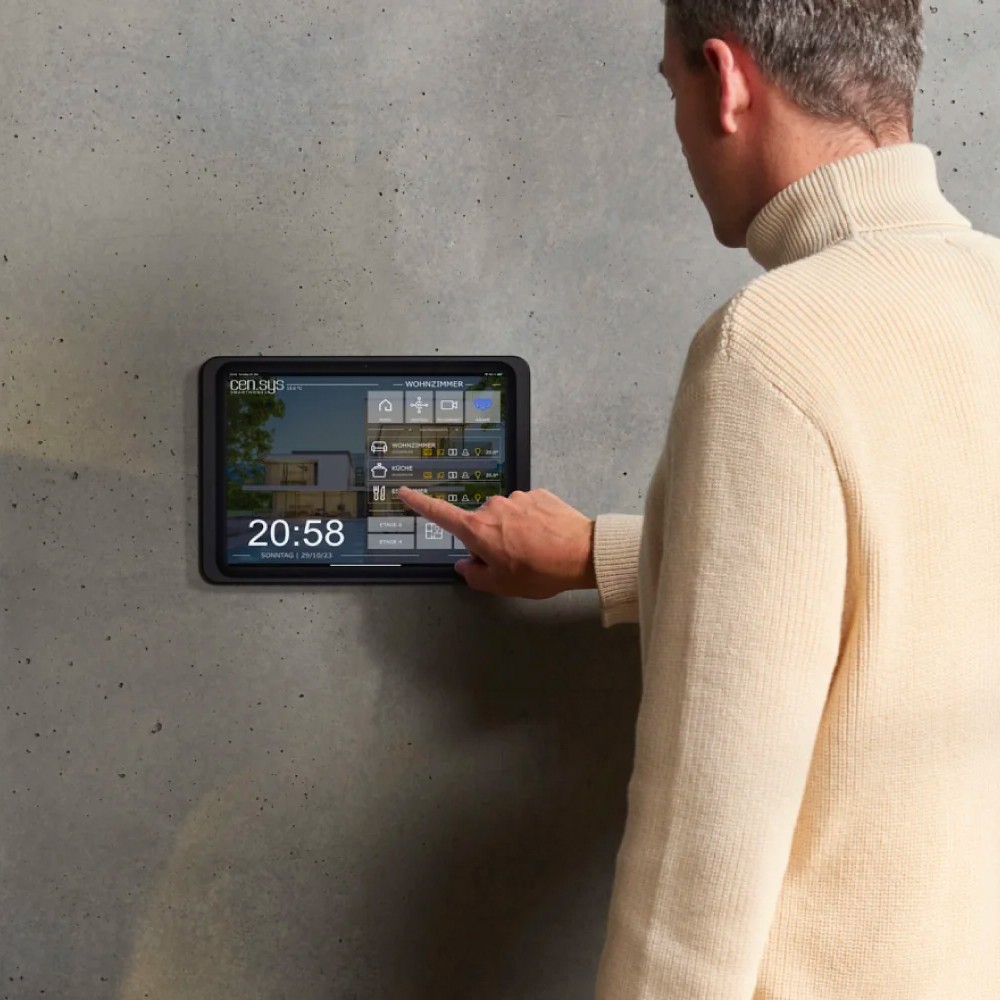
Wall-mounted tablets provide numerous benefits, such as reducing clutter and ensuring the device stays in a fixed location, making it convenient for frequent use. For example, in smart home setups, a mounted tablet serves as a centralized control hub for managing lighting, heating, or security systems​

In commercial environments, they can display menus, act as customer check-ins, or provide real-time information in public areas.

–Space-saving: They free up counter or table space.

–Accessibility: They can be placed at convenient heights for easy viewing.

–Security: They can be secured to prevent theft or damage.

–Customization: They can be integrated with various accessories and software.

2. Do Wall-Mounted Tablets Require a Dedicated Power Source?

Yes, it is essential to provide a constant power source for wall-mounted tablets, especially if they are used for tasks that require continuous operation, such as home automation. The best power source is PoE (power over ethernet), which is  an efficient, scalable, and reliable solution, especially in smart home and office environments. With continuous power and streamlined cabling, PoE allows you to place your tablet exactly where you need it, without the limitations of traditional power solutions. 

3. Are Wall-Mounted Tablets Secure?

Many wall mounts include security features such as lockable faceplates, which help prevent theft in public or high-traffic areas. Additionally, internal cable management ensures that cables are not exposed or easily tampered with​. This makes wall-mounted tablets ideal for use in commercial settings like retail stores, airports, or hotels.

4. How Can I Use a Wall-Mounted Tablet in a Smart Home?

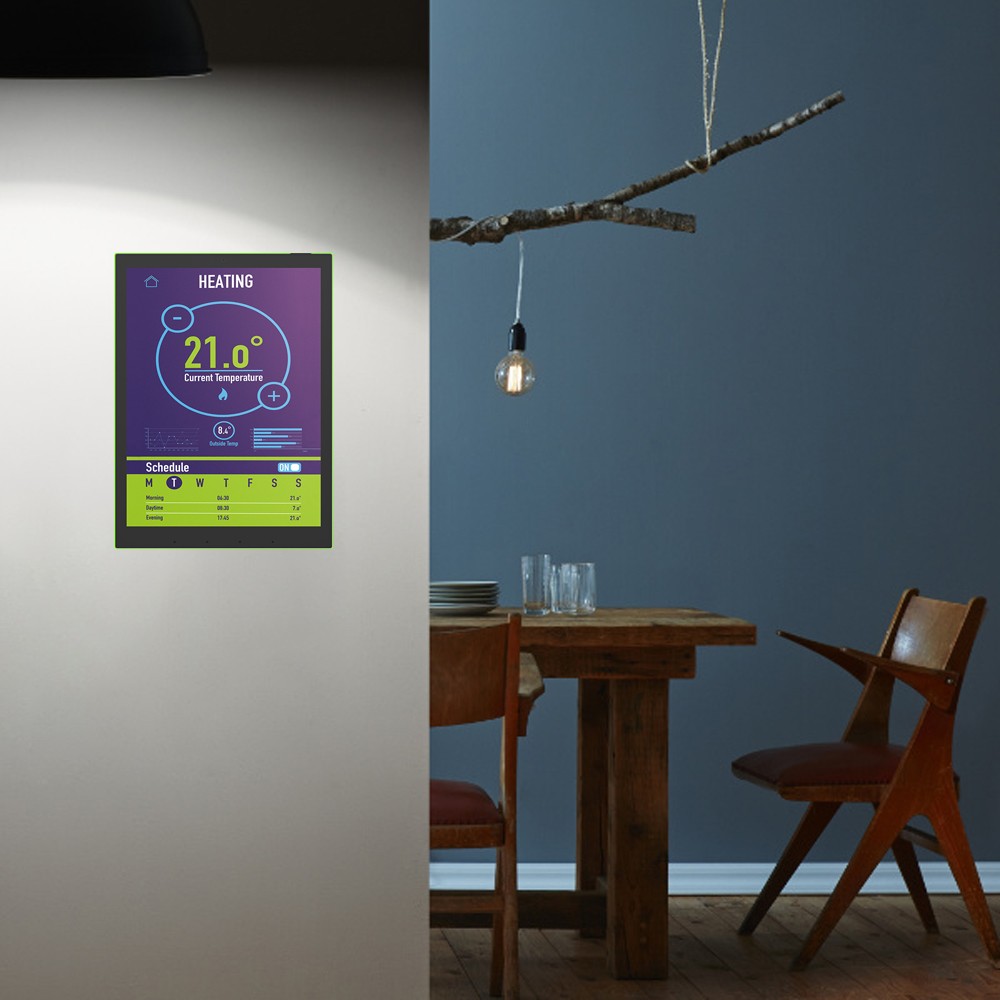
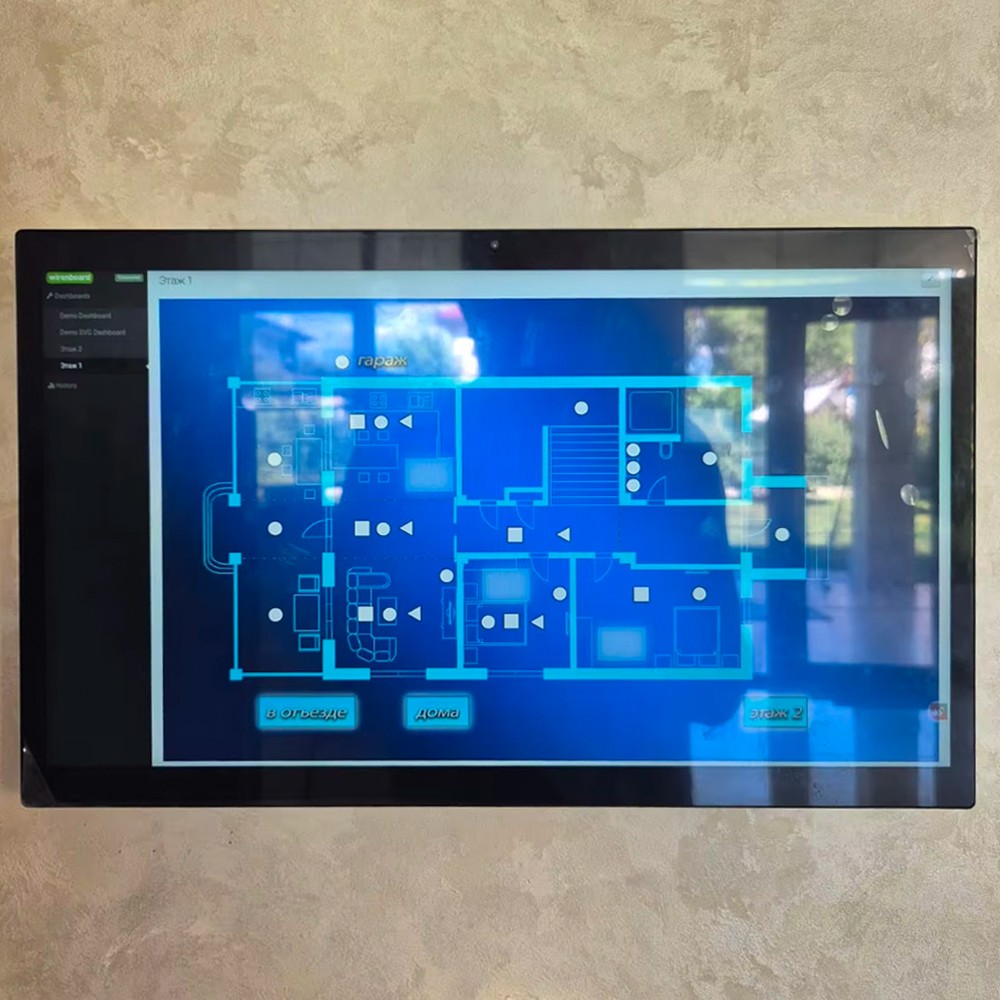
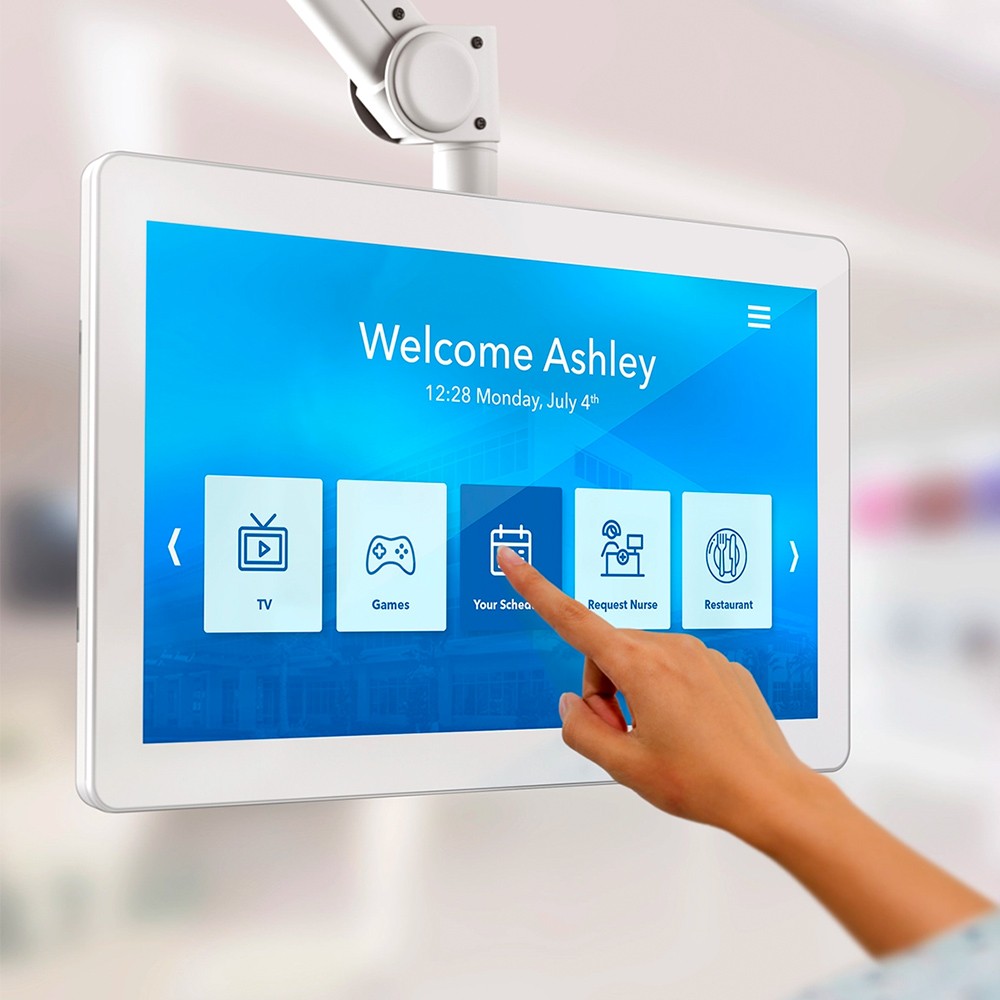
Wall-mounted tablets are a perfect solution for smart home control. You can install smart home apps to control lights, thermostats, and security cameras. With a fixed location, the tablet becomes a central control hub that’s accessible to all family members​.

5. How Do I Install a Wall-Mounted Tablet?

Installing a wall-mounted tablet typically involves mounting brackets and screws, which has been included in the package of all of our wall mounted tablets, which makes it possible to install by yourself even you are not a professional.

6. Can I Remove the Tablet From the Wall?

Yes, you can remove the tablet from the wall mounts, which is useful if you need to take it elsewhere. However, many people prefer a hard-mounted setup, especially in homes or businesses, where a permanent, reliable control interface is needed. A hard-mounted tablet also ensures that the device is always charged and ready to use​.

7. How Do I Ensure Proper Ventilation for My Tablet?

Wall-mounted tablets need proper ventilation to avoid overheating, especially when used for long periods. All of our wall mount tablets have built-in ventilation to allow airflow, ensuring the tablet doesn’t overheat. It’s also a good idea to avoid placing the tablet in direct sunlight to prevent it from getting too hot​

8. Are Wall-Mounted Tablets Suitable for Commercial Use?

Absolutely! Wall-mounted tablets are widely used in commercial settings for a range of purposes, from displaying digital menus in restaurants to acting as check-in kiosks in hotels or offices. They provide an interactive, professional display while saving space and keeping the area organized.

9. What Features Should I Look for in a Wall Mount?

When choosing a wall mount for your tablet, consider features such as:

Consider your needs: Determine the primary purpose of the tablet (e.g., home automation, digital signage, information display).

Screen size: Select a screen size that is appropriate for the viewing distance and content.

 Processor and RAM: Ensure the tablet has sufficient processing power and memory for your applications.

Operating system: Choose an operating system that is compatible with your desired software and apps.

Connectivity: Consider the necessary connectivity options (e.g., Wi-Fi, Bluetooth, Ethernet).

10. What factors should I consider when choosing a wall mount?

Compatibility: Ensure the mount is compatible with your tablet’s size and weight.

Swivel and tilt features: Look for mounts that allow you to adjust the tablet’s viewing angle.

Security features: Choose a mount with locking mechanisms to prevent theft.

Installation method: Consider whether you need a surface-mount or recessed installation.

Conclusión

Wall-mounted tablets offer a convenient, hands-free way to control smart homes, display information, and more. They are versatile, secure, and practical for both residential and commercial applications. Whether you’re using it for home automation or customer interaction, having a tablet mounted on the wall ensures a smooth and organized experience.

Frequently Asked Questions About Wall-Mounted Tablets Read More »

Preguntas frecuentes sobre tabletas PoE

Preguntas frecuentes sobre tablets PoE.

Powering a wall-mounted tablet with PoE is an efficient, scalable, and reliable solution, especially in smart home and office environments. With continuous power and streamlined cabling, PoE allows you to place your tablet exactly where you need it, without the limitations of traditional power solutions. In this blog, we gonna walk you through about the most Frequently Asked Questions About PoE Tablet. If you have more questions about PoE tablets or how to integrate them into your home or office, feel free to ask!

1. What is Power over Ethernet (PoE)?

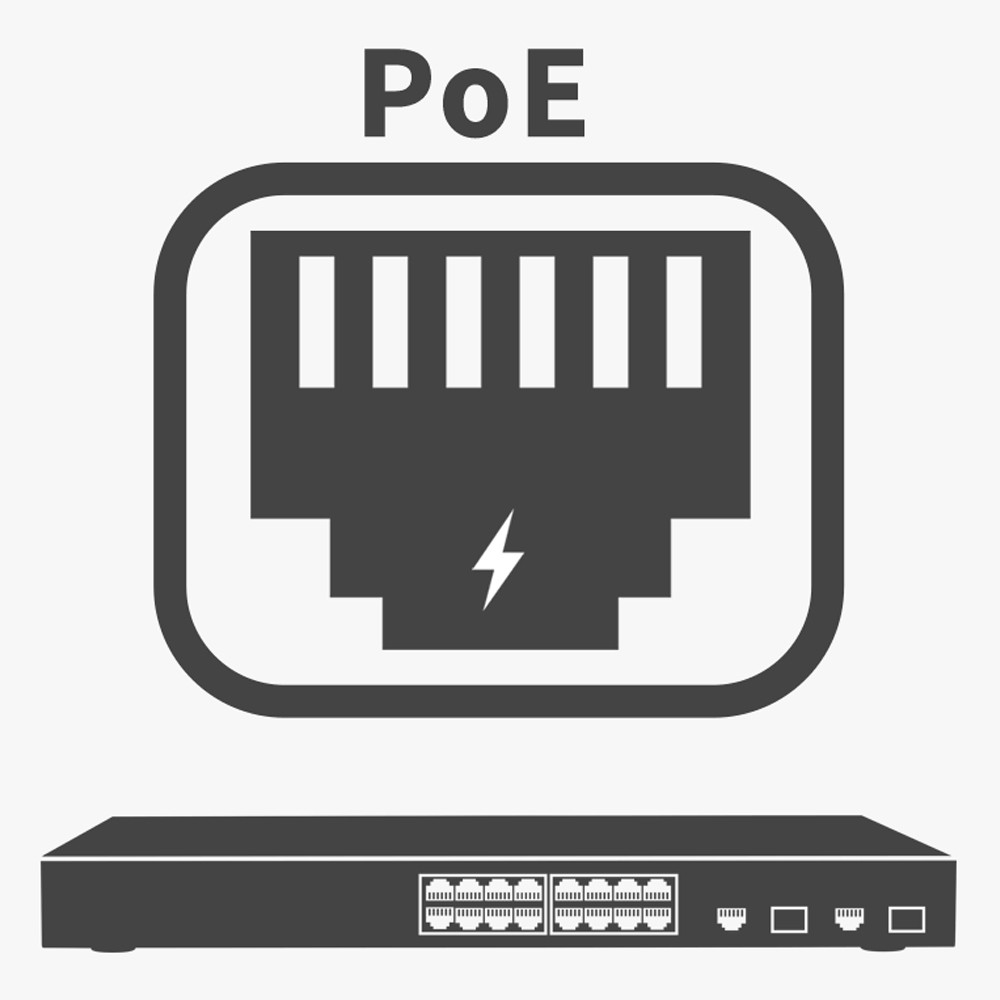
PoE is a technology that delivers both power and data to devices like tablets, cameras, and access points through a single Ethernet cable. This eliminates the need for separate power adapters and reduces cable clutter, making installation easier and cleaner.

2. Can any tablet be powered using PoE?

No, most tablets don’t have built-in PoE support. However, the tablet we are supplying all compatible with PoE, the available sizes are 8 inch, 10.1 inch, 13.3 inch, 14inch, 15.6 inch, 16 inch, 21.5 inch, 24 inch and 32 inch.

3. What equipment do I need to power a tablet using PoE?

To set up PoE for your tablet, you’ll need:

Ethernet cables (Cat5e or Cat6) to connect the network switch to the tablet’s location.

PoE-enabled network switch or a PoE injector to provide power through the Ethernet cable.

An PoE tablet pc.

4. What are the benefits of using PoE for a wall-mounted tablet?

PoE offers several advantages for powering wall-mounted tablets:

Reliable Connection: PoE provides a stable and secure power supply, minimizing interruptions.

Continuous Power: The tablet stays powered 24/7 without needing frequent recharging.

Simplified Installation: With both power and data running through a single cable, there’s less clutter and fewer exposed wires.

Flexible Placement: Since you don’t need to be near an electrical outlet, PoE allows more options for mounting the tablet in an ideal location.

5. Is PoE safe to use with tablets?

Yes, PoE is designed with safety in mind. The system detects when a device is connected and only delivers the amount of power required. If there’s a fault, PoE will shut off the power to avoid overloading or damaging the device.

6. How do I know if my network switch supports PoE?

Many modern network switches have PoE capability, but not all do. To check, look for labels such as PoE or PoE+ on the device. You can also refer to the product manual or check with your internet service provider. If your switch doesn’t support PoE, you can use a PoE injector, which adds PoE functionality to non-PoE switches.

7. How far can I run an Ethernet cable for PoE?

PoE supports cable runs of up to 100 meters (328 feet) using standard Cat5e or Cat6 cables. This distance should be sufficient for most home and office setups. If you need to extend beyond this distance, you can use PoE extenders or repeaters.

8. Can I use PoE with a Wi-Fi tablet?

Yes, even if your tablet relies on Wi-Fi for connectivity, you can still use PoE to provide power. In this case, the PoE would only provide power to the tablet, and the tablet would continue to use Wi-Fi for data.

9. Is PoE more expensive than traditional power solutions?

Initially, PoE equipment like PoE switches might seem more expensive compared to traditional power adapters. However, PoE eliminates the need for extra power outlets and simplifies cabling, which can lead to cost savings, especially in larger setups. The convenience and flexibility often make PoE a worthwhile investment.

10. Can I use PoE to power multiple tablets at once?

Yes, as long as your PoE switch provides enough power, you can power multiple tablets or devices simultaneously. Just ensure the total power output of the switch matches the power requirements of all connected devices.

11. Do I need an electrician to install PoE for my wall-mounted tablet?

You typically don’t need an electrician to set up PoE for a tablet unless you’re planning to hardwire the Ethernet cables through walls. In most cases, the installation can be done by following simple steps: connecting the PoE switch to the router, running Ethernet cables, and connect the PoE tablet to power the tablet.

12. Can PoE be used in smart home systems?

Absolutely! PoE is a fantastic solution for powering smart home devices, including tablets that control lighting, security systems, thermostats, and more. It ensures that your control panel is always powered and connected, without the need for messy wiring or frequent recharging.

If you have more questions about PoE tablets or how to integrate them into your home or office, feel free to ask!

Frequently Asked Questions About PoE Tablet. Read More »

Cómo alimentar una tableta de pared mediante Power over Ethernet (PoE)

Cómo alimentar una tableta de pared mediante Power over Ethernet (PoE)

When setting up a wall-mounted tablet in a smart home, one of the most critical considerations is how to power the device without unsightly cables or frequent battery recharging. A clean, efficient solution? Power over Ethernet (PoE).

In this post, we’ll explore how PoE can be a reliable and cost-effective method to power your wall-mounted tablet, keeping it powered continuously and simplifying the installation process.

What is Power over Ethernet (PoE)?

PoE is a technology that enables both power and data to be delivered to a device through a single Ethernet cable. This eliminates the need for separate power supplies or additional outlets, streamlining the setup process. PoE is often used in smart home setups and office environments to power devices like security cameras, wireless access points, and tablets.

By using PoE, you can mount your tablet in any location where there’s an Ethernet connection, making it ideal for smart home control panels or digital displays.

How Does PoE Work?

PoE works by transmitting electrical power alongside data through an Ethernet cable (typically a Cat5e or Cat6 cable). To implement this in your home or office, you need two main components: a PoE-enabled network switch and a poe tablet pc which can be wall mounted.  

Here’s a step-by-step guide to how you can set up PoE to power your wall-mounted tablet:

Here’s a step-by-step guide to how you can set up PoE to power your wall-mounted tablet:

1. PoE-Enabled Network Switch

A PoE network switch is the first essential component. This switch supplies power to your Ethernet devices. Many modern routers and network switches come with PoE capabilities built in, but if yours doesn’t, you can buy a PoE injector to add this functionality to your existing network.

  • What to Look for: Make sure the switch provides enough wattage for your tablet (most standard PoE switches offer 15.4 watts, but higher-powered devices may need PoE+ which delivers 30 watts which is the standard that our most poe tablet pc smaller than 16 inch and including 16 inch, or PoE++up to 60W for 21.5 inch and 24 inch, or up to 85W for 32 inch).
  • Connection: The Ethernet cable from the switch runs through your walls to the location where the tablet will be mounted.

2. Connect and Install

Once the network switch and poe tablet pc are in place, the next step is mounting the tablet and connecting it:

  • Mount the Tablet: Position the tablet on the wall using a secure, compatible wall mount which included in most of our poe tablet pc.
  • Connect the poe tablet pc with ethernet cable: Plug the Ethernet cable from the switch into the PoE tablet pc. Your tablet will now be powered and connected to the network with a single, tidy PoE cable.

Advantages of Using PoE for Wall-Mounted Tablets

1. Continuous Power Supply

Unlike battery-powered solutions or wired chargers, PoE ensures that your tablet is continuously powered without interruptions. This is especially useful for high-traffic areas or smart home setups where the tablet will be in constant use to control lights, thermostats, security systems, or appliances.

2. Simplified Installation

PoE allows you to eliminate the need for nearby electrical outlets, which can limit placement options. With an Ethernet cable, you have more flexibility in choosing the ideal location for your wall-mounted tablet. This also avoids the mess of exposed charging cables, giving your installation a sleek, professional appearance.

3. Data and Power in One Cable

The beauty of PoE is that you only need one cable for both data and power, significantly reducing clutter. This is particularly helpful for smart home control panels where both internet connectivity and constant power are essential.

4. Reliability and Safety

PoE is a stable and reliable source of power. Since PoE devices can be centrally powered and monitored, they are less prone to power fluctuations or surges. Additionally, PoE technology is designed with safety features, cutting off the power supply if it detects a fault, protecting your tablet and other connected devices.

Best Scenarios for Using PoE with Wall-Mounted Tablets

PoE is particularly useful in several scenarios:

  • Smart Home Control Panels: A wall-mounted tablet powered by PoE can serve as the central hub for controlling smart lights, thermostats, cameras, and more.
  • Digital Signage: In commercial spaces or home offices, a PoE-powered tablet can display important information without the need for constant recharging.
  • Security Monitoring: If you use a tablet to monitor your home’s security system, PoE ensures it remains powered and connected to the network at all times.

Final Thoughts

Powering a wall-mounted tablet using PoE is an elegant, efficient solution that minimizes clutter and ensures reliable performance. By delivering both data and power over a single Ethernet cable, PoE provides flexibility in installation, making it easier to integrate tablets into smart home setups or office environments.

With the right PoE network switch and our wall mounted PoE tablet pc, you can create a clean, professional installation that keeps your tablet powered and ready for use, whether it’s managing your smart home or displaying real-time information.

If you’re planning to mount a tablet in your home or office, consider the PoE option for a streamlined, future-proof solution.

How to Power a Wall-Mounted Tablet Using Power over Ethernet (PoE) Read More »

Cómo crear fácilmente un panel de control domótico con una tableta PC Android de montaje en pared

Cómo crear fácilmente un panel de control domótico con una tableta PC Android de montaje en pared

In today’s connected world, smart home automation has become increasingly accessible, making homes more convenient, secure, and energy-efficient. A key part of any smart home setup is a centralized control panel to manage various smart devices such as lights, thermostats, security systems, and appliances. The easiest way to achieve this is by using an Android wall-mounted tablet PC as your smart home control hub.

In this blog, we’ll walk you through how to easily transform your Android tablet into a comprehensive smart home control panel. This cost-effective and user-friendly solution allows you to control all your smart devices in one place, even when you’re not at home.

Why Use a Wall-Mounted Android Tablet for Smart Home Control?

Using a dedicated Android wall-mounted tablet offers several advantages:

Always Available: Unlike mobile phones, a mounted tablet stays in place, ready to control your smart home with a single tap.

Affordable: Android tablets are often cheaper than custom smart home control panels.

Customizable: Install any smart home apps you need, from lighting control to security monitoring.

All-in-One: Manage multiple smart devices and systems from one interface.

Place-saving design: Sleek, modern wall mounts keep your tablet conveniently accessible without taking up counter space.

Step-by-Step Guide to Building a Smart Home Control Panel

Step 1: Choose the Right Android Tablet When selecting a tablet for your control panel, focus on the following:

  • Size: Choose a screen size that fits your wall and is easy to interact with, typically between 8-16 inches, some customers even choose 24 inch.
  • Performance: Ensure the tablet can handle multiple apps and constant use. Look for a device with at least 2GB of RAM and sufficient internal storage.
  • Operating System: Make sure the tablet is running the latest version of Android for compatibility with modern smart home apps.

Step 2: Select a Wall Mount A sturdy, adjustable wall mount is essential. Some mounts allow easy charging access or even offer cable management for a neat installation. Make sure it is securely mounted to the wall and positioned at a comfortable height.

Step 3: Download Smart Home Apps Install smart home apps that you are working with.

Step 4: Create a Centralized Dashboard Using an app like ActionTiles or Home Habit, you can create a centralized dashboard that aggregates all your smart devices into a single user interface. This will allow you to control lighting, temperature, and security systems from one place.

  • Customize Widgets: Add buttons and shortcuts for your most frequently used devices, such as turning lights on/off, adjusting the thermostat, or checking the security cameras.
  • Arrange Your Dashboard: Organize your smart home controls by room or device type for easy access.

Step 5: Automate Your Smart Home To maximize convenience, set up routines or automation rules for your smart devices. For example, program your lights to turn off when you leave the house or set the thermostat to adjust automatically based on the time of day.

Many smart home apps offer built-in automation features, or you can use IFTTT (If This Then That) to connect different services and create powerful custom automations.

Step 6: Secure Your Setup Because your wall-mounted tablet is always accessible, it’s important to secure it. Here’s how:

  • Password Protection: Set up a secure screen lock, whether it’s a PIN, pattern, or fingerprint.
  • Limit App Access: Use a dedicated user account for smart home control, so sensitive personal apps or data aren’t accessible.
  • Regular Updates: Keep the tablet’s software and apps updated to ensure compatibility and security.

Additional Tips for the Best Smart Home Experience

  • Optimize Tablet Settings: Turn on Do Not Disturb and minimize unnecessary notifications to keep the tablet focused on smart home control.
  • Enable Remote Access: Set up remote access to control your smart home even when you’re away by logging into your smart home apps from your phone.

Conclusión

Building a smart home control panel with a wall-mounted Android tablet is an easy and affordable way to centralize your smart home devices. It offers flexibility, customization, and convenience without the need for expensive custom installations. By following this guide, you can enjoy the benefits of home automation with just a few simple steps.

Start your smart home journey today by transforming your Android tablet into a sleek, efficient control hub for all your devices.

How to Easily Build a Smart Home Control Panel with an Android Wall-Mounted Tablet PC Read More »

Placa de desarrollo Android 11/Debian 10/Raspbian OS

Presentación de PCBA de desarrollo: Android 11, Debian 10, Raspbian OS

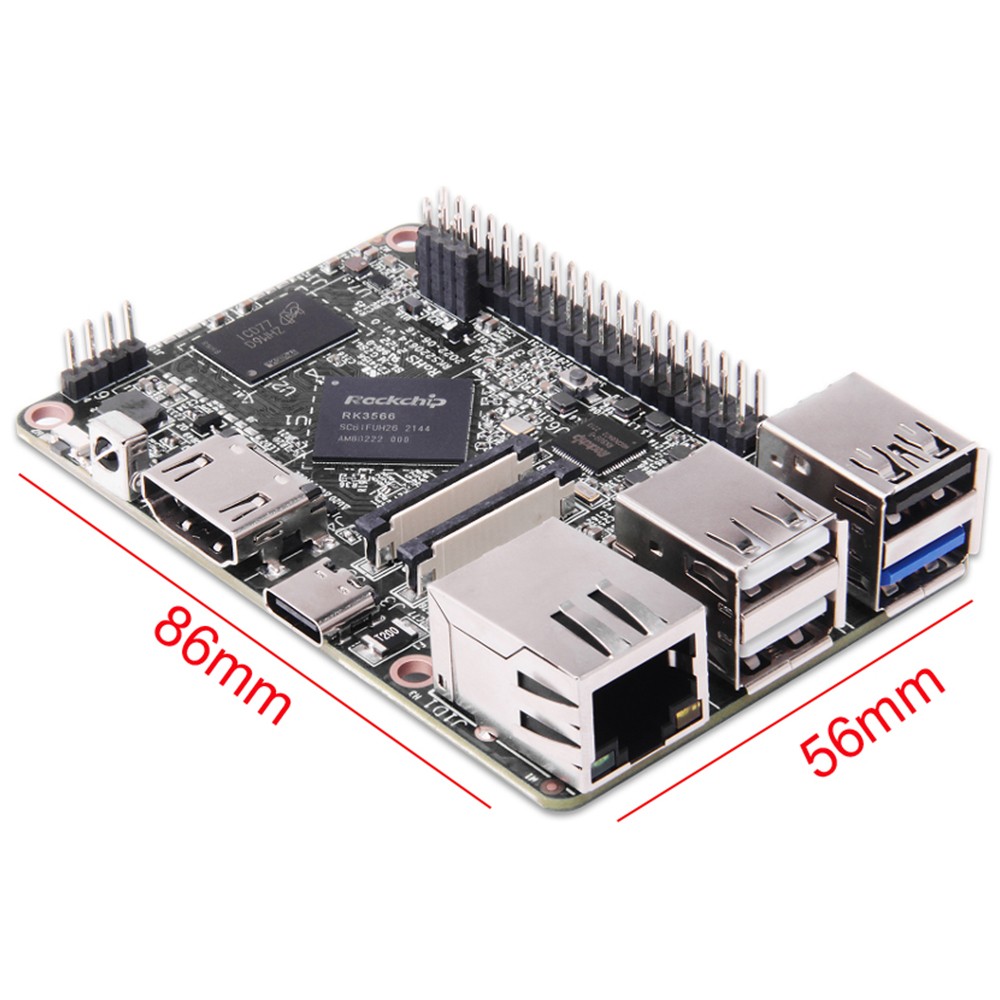
Nos complace anunciar nuestra última innovación: una placa de desarrollo versátil compatible con Android 11, Debian 10 y Raspbian OS. Diseñado para ofrecer un rendimiento de primer nivel manteniendo el factor de forma familiar de Raspberry Pi, este producto microordenador está estructurado en torno a la potente plataforma RK3566 de Rockchip. Este dispositivo compacto y de alto rendimiento constituye una solución idónea para una amplia gama de aplicaciones, incluidas la educación en programación para jóvenes, automatización del hogar, centros multimedia y más.

Un ordenador en miniatura de alto rendimiento

A pesar de sus dimensiones reducidas (con un tamaño similar al de una tarjeta bancaria, de solo 85 mm x 56 mm), esta placa de desarrollo ofrece una potencia excepcional. En su núcleo integra el Rockchip RK3566, un procesador Cortex-A55 de cuatro núcleos capaz de alcanzar una frecuencia principal de hasta 1,8 GHz. Este procesador garantiza la capacidad de la placa para gestionar aplicaciones exigentes con total fluidez, resultando óptima tanto para el ámbito educativo como para el industrial.

Características principales

  1. Tamaño compacto: Con unas dimensiones de tan solo 85 mm x 56 mm, nuestra placa de desarrollo tiene el tamaño de una tarjeta bancaria estándar. Esto facilita su integración en proyectos con restricciones de espacio, garantizando a la vez una óptima portabilidad gracias a su ligereza.
  2. Procesador Rockchip RK3566: La arquitectura Cortex-A55 de cuatro núcleos garantiza una alta eficiencia y un rendimiento sólido. La frecuencia principal del procesador puede alcanzar hasta 1,8 GHz, lo que le permite ejecutar programas complejos y tareas multitarea de manera fluida.
  3. Memoria y almacenamiento: Equipada con 2 GB de RAM y 8 GB de memoria flash eMMC, la placa proporciona la capacidad necesaria para ejecutar diversas aplicaciones y almacenar datos críticos. Para almacenamiento adicional, los usuarios disponen de una ranura para tarjeta Micro SD compatible con tarjetas TF de hasta 64 GB.
  4. Amplias interfaces de E/S: Esta placa de desarrollo está equipada con una variedad de interfaces de E/S que garantizan flexibilidad y compatibilidad con numerosos periféricos. Ya sea para conectar sensores, pantallas u otros dispositivos, las extensas opciones de E/S de la placa la convierten en una herramienta versátil para múltiples proyectos.
  5. Opciones de conectividad: Mantenga la conectividad mediante Wi-Fi integrado, puerto LAN Ethernet y funcionalidad Bluetooth. Estas características permiten una fácil integración en redes y la comunicación con otros dispositivos, resultando idónea para aplicaciones de IoT, monitorización remota y sistemas de control inalámbrico.

Ideal para la educación en programación

Siguiendo la filosofía de Raspberry Pi, esta placa de desarrollo resulta idónea para la formación en programación, especialmente para jóvenes. Su facilidad de uso, combinada con la capacidad de ejecutar múltiples sistemas operativos, la convierte en una plataforma excelente para el aprendizaje de código, el desarrollo de software y la exploración informática. Gracias a la compatibilidad con Android 11, Debian 10 y Raspbian OS, los estudiantes pueden experimentar y comprender diferentes entornos operativos, potenciando su aprendizaje y su capacidad de resolución de problemas.

Conclusión

Nuestra nueva placa de desarrollo ofrece una combinación excepcional de potencia, flexibilidad y formato compacto. Con el robusto procesador Rockchip RK3566, una memoria dimensionada, amplias opciones de conectividad y compatibilidad con sistemas operativos de referencia, es la elección idónea para entornos educativos y una amplia variedad de aplicaciones técnicas. Tanto si es estudiante, docente, entusiasta de la tecnología o desarrollador profesional, este microordenador proporciona una plataforma de alto rendimiento para materializar sus proyectos.

Descubra el futuro de la computación con nuestra placa de desarrollo más reciente y compruebe cómo este dispositivo compacto de alta potencia puede transformar sus proyectos e impulsar a la próxima generación de innovadores.

Introducing Development pcba: Android 11,Debian 10,Raspbian OS Read More »

cómo elegir a su proveedor de pantallas LCD de tipo barra (stretched bar)

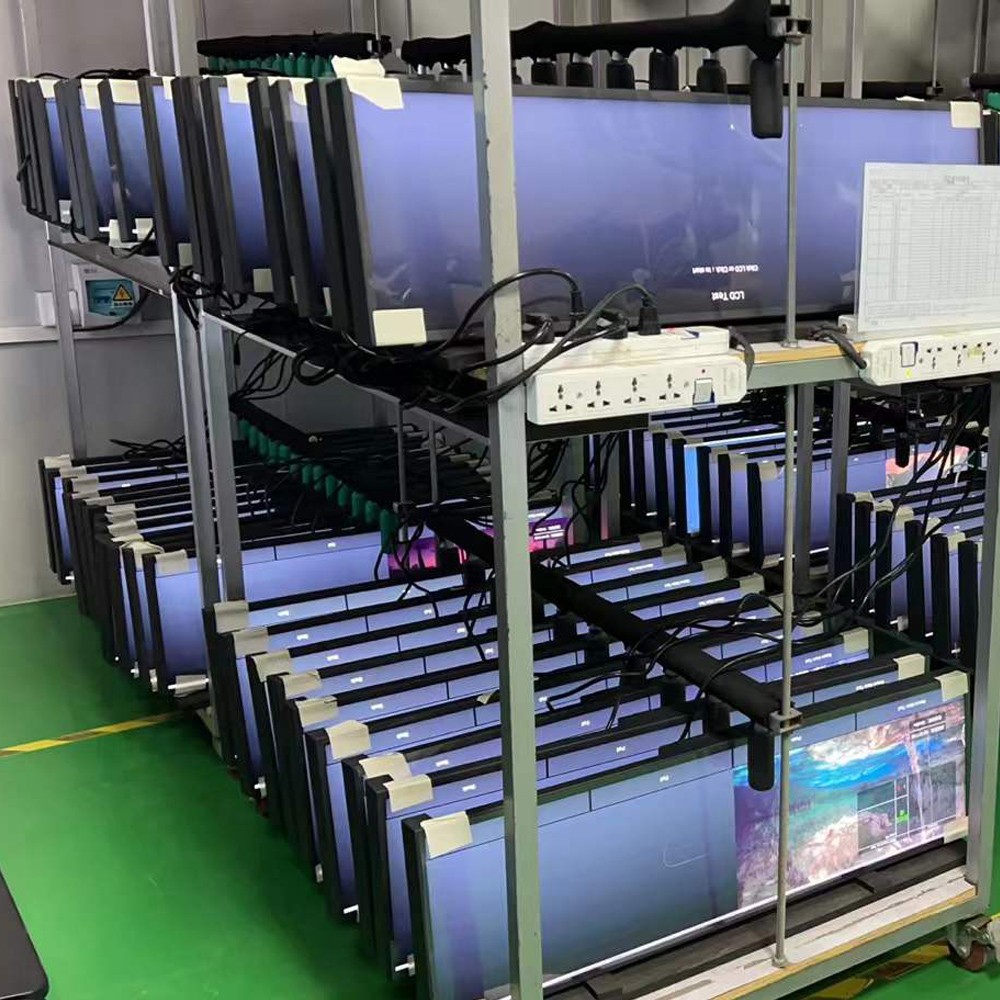
Factores a considerar antes de elegir un proveedor de pantallas LCD de tipo barra (stretched bar) Android.

¿Cómo elegir a su proveedor de pantallas LCD tipo barra estirada? Soporte técnico, calidad o precio: cuál es el más importante.

Puntos clave que debe conocer sobre nuestras pantallas LCD tipo barra estirada Android

Nuestras ventajas frente a otros proveedores

  1. Soporte técnico excepcional: Ofrecemos un soporte técnico de primer nivel. La mayoría de los clientes cuentan con aplicaciones propias que deben optimizarse para nuestra placa PCBA, lo cual requiere la colaboración entre los ingenieros de ambas partes para garantizar un funcionamiento óptimo.
  2. Operación continua 24/7: Todos nuestros productos admiten funcionamiento continuo 24/7 con una vida útil promedio de 30.000 horas.
  3. Watchdog por hardware: Cada dispositivo integra un watchdog por hardware que reinicia automáticamente el sistema si el SO se congela durante más de 3 minutos.
  4. Función de temporizador de encendido/apagado: Puede programar el encendido y apagado del dispositivo en horarios específicos para prolongar su vida útil.

Cómo incrementar la vida útil de su pantalla LCD tipo barra estirada Android

Los componentes principales que influyen en la vida útil son la placa base y la pantalla LCD. Para prolongar la vida útil:

  • Reduzca el brillo del LCD: Disminuir el brillo reduce la generación de calor.
  • Elimine aplicaciones innecesarias: Desinstale las aplicaciones en desuso para reducir la carga de trabajo en la placa base.

Factores principales que influyen en el precio

Existen 3 componentes principales que afectan el precio de una pantalla tipo barra estirada Android. 

  1. El chasis: La mayoría de los chasis de las pantallas tipo barra estirada Android son metálicos, por lo que el costo es prácticamente el mismo para todos los fabricantes. 
  2. La PCBA: Algunas empresas utilizan PCBA de bajo costo con componentes reacondicionados (DDR, memoria Flash e incluso procesadores). Esto es admisible en el mercado de consumo, donde nadie utiliza el dispositivo en modo 24/7. Sin embargo, para uso comercial, que demanda operación continua 24/7, generará numerosos fallos, tales como pantallas negras o bloqueos en el logotipo de inicio de Android. 
  3. La pantalla LCD: Las pantallas que empleamos son paneles LCD originales de fábrica. Existen empresas que ofrecen pantallas LCD cortadas a un costo menor, pero su vida útil operativa es considerablemente más corta. 

Si el dispositivo no opera según lo previsto, independientemente de la causa, será necesario desplazar ingenieros al sitio para su reparación. Como es sabido, los costos de mano de obra en el extranjero son sumamente elevados, lo que a largo plazo incrementará sus costos globales. 

Conclusión

Por lo tanto, antes de seleccionar un proveedor de pantallas tipo barra estirada Android, evalúe lo siguiente:

  1. Soporte técnico: Asegúrese de que brinden el soporte técnico requerido para ejecutar su proyecto con éxito.
  2. Calidad del producto: Evalúe rigurosamente la calidad de sus productos.
  3. Precio: Considere el precio, pero nunca a expensas del soporte técnico y la calidad.

En resumen, antes de elegir a un proveedor de pantallas LCD tipo barra estirada Android, verifique en primer lugar su capacidad para proporcionarle el soporte técnico necesario para culminar su proyecto; en segundo lugar, la calidad del producto; y como último criterio, el precio. 

Comuníquese con nuestro departamento comercial en sales@yixu-elec.com si está interesado en nuestros productos y servicios.

Factors to Consider Before Choosing an Android stretched bar lcd display Supplier. Read More »

Capte audiencias con las pantallas LCD tipo barra ultra ancha con Android

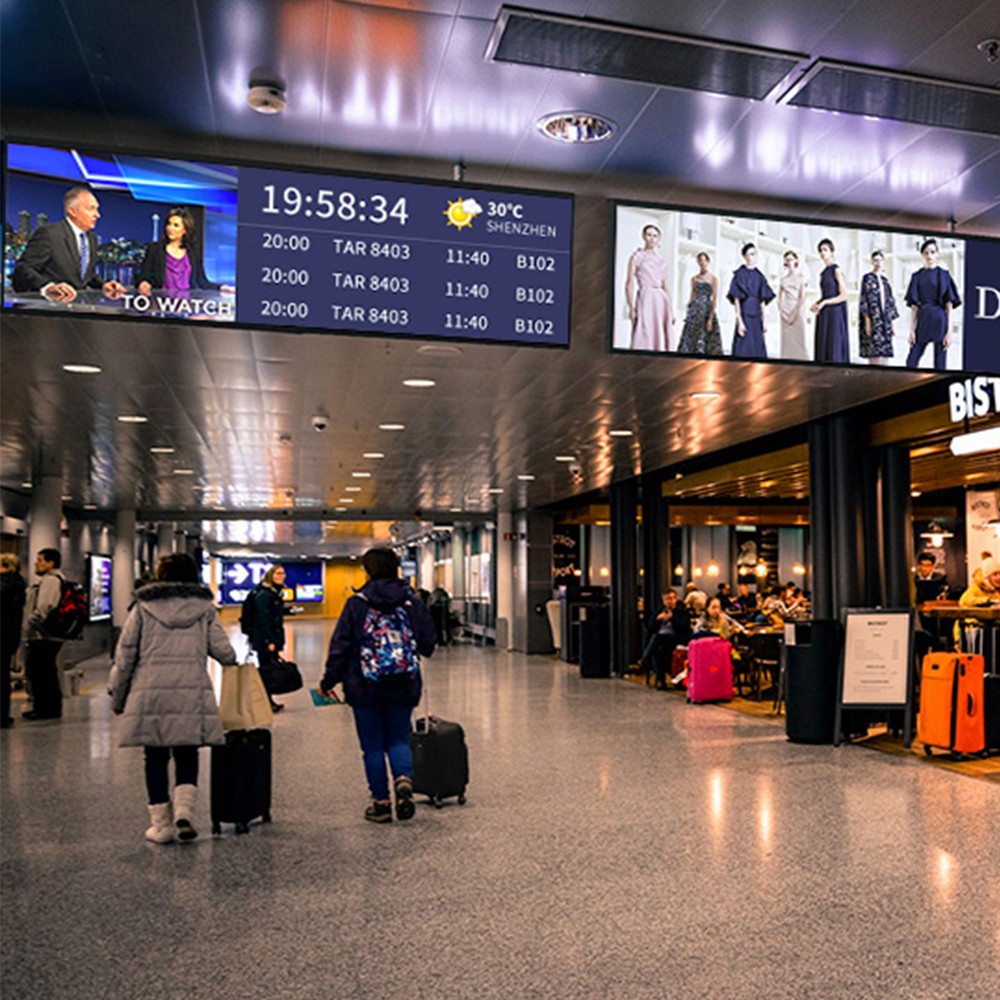
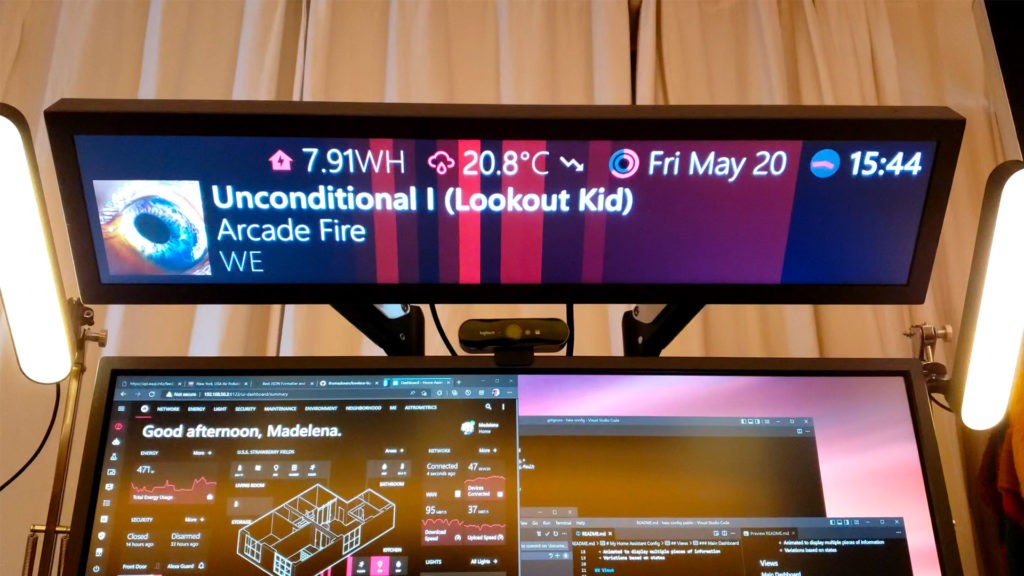
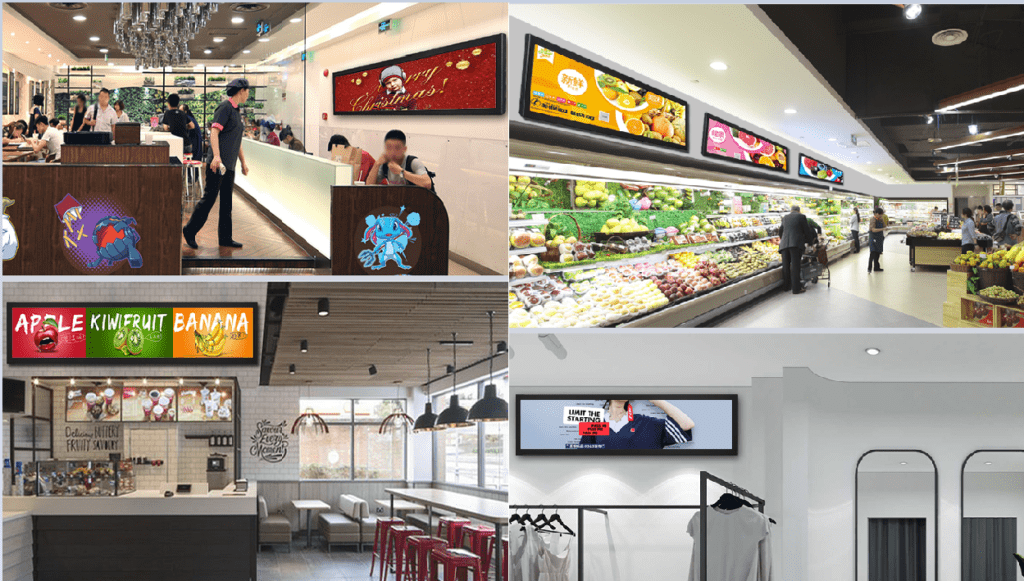
En el entorno actual saturado de estímulos visuales, captar la atención representa un desafío crítico. ¿Y si sus pantallas pudieran comunicar por sí mismas? Descubra la pantalla LCD tipo barra ultra ancha con Android, una tecnología revolucionaria que transforma la interacción de empresas y creadores de contenido con su audiencia. Disponibles en formatos de alta demanda como 24 pulgadas, 29 pulgadas, 37 pulgadas y 48 pulgadas, estas pantallas rompen con los formatos rectangulares tradicionales al ofrecer un diseño alargado exclusivo que cautiva a los espectadores y ofrece un impacto visual óptimo.

¿Por qué las pantallas LCD tipo barra ultra ancha con Android son la próxima gran innovación?

Impactantes y memorables: Deje atrás lo convencional. Este formato genera una presencia visual disruptiva que capta al instante la atención de los usuarios, optimizando el reconocimiento de marca y la retención del mensaje.

Contenido redefinido: La superficie ampliada permite composiciones visuales innovadoras. Permite desplegar menús, fichas técnicas de producto y material promocional junto a transmisiones de video en entornos minoristas, o bien integrar guiones, herramientas de edición y chats en vivo para optimizar el flujo de trabajo en producción de contenidos.

Rendimiento impulsado por Android: Aproveche la versatilidad del sistema operativo Android. Instale una amplia variedad de aplicaciones diseñadas específicamente para señalización digital, generación de contenido y experiencias interactivas.

Multitarea optimizada: Ejecute múltiples aplicaciones simultáneamente sin interrupciones. Maximice la eficiencia operativa mostrando información clave de forma paralela a su contenido principal.

Desbloqueando potencial en diversas industrias, aplicaciones de la pantalla LCD tipo barra ultra ancha con Android

Sector minorista (Retail): Desarrolle señalización digital de alto impacto, mejore la interacción con el cliente mediante displays interactivos de producto y optimice la entrega de información comercial.

Transporte: Suministre sistemas dinámicos de señalización, wayfinding e información para pasajeros en aeropuertos, estaciones de ferrocarril y terminales de autobuses.

Hospitalidad y hotelería: Eleve el estándar de vestíbulos y habitaciones de hotel mediante pantallas interactivas que destacan servicios e información turística local.

Entornos corporativos: Muestre métricas de rendimiento clave, presentaciones y transmisiones en tiempo real, impulsando un entorno de trabajo colaborativo y dinámico.

Creadores de contenido: Optimice sus flujos de trabajo y desarrolle contenido atractivo integrando guiones, herramientas de edición y paneles de chat en vivo dentro de una sola pantalla.

Una visión hacia el futuro:

Imagine cautivar clientes en tiendas comerciales con demostraciones de producto en vivo en una pantalla Stretched Bar de 48 pulgadas. Visualice sistemas de orientación y datos de vuelo desplegados de forma fluida en pantallas de 37 pulgadas en aeropuertos. O bien, creadores de contenido operando con unidades de 29 pulgadas para una gestión de flujo de trabajo continua. Las posibilidades de aplicación son ilimitadas.

Preguntas frecuentes (FAQ):

¿Cuáles son las ventajas de las pantallas LCD tipo barra ultra ancha con Android?

Estas pantallas ofrecen un formato ultra panorámico distintivo, opciones avanzadas para la distribución de contenido, capacidades multitarea con el sistema operativo Android y compatibilidad para soluciones interactivas.

¿Qué dimensiones están disponibles?

Disponemos de formatos de alta demanda como 24 pulgadas, 29 pulgadas, 37 pulgadas y 48 pulgadas para satisfacer diversas aplicaciones e infraestructuras, además de otras dimensiones personalizables bajo pedido.

¿Qué especificaciones técnicas deben considerarse al elegir una pantalla tipo barra?

Es fundamental evaluar el tamaño del panel, la resolución nativa, la compatibilidad con aplicaciones y software operativo, así como las opciones de montaje e integración física.

¿Dónde puedo obtener más información?

Póngase en contacto con nuestro equipo técnico hoy mismo. Le asesoraremos para seleccionar la pantalla tipo barra ideal según los requisitos técnicos de su proyecto.

¿Está listo para adoptar la tecnología de pantallas ultra anchas y potenciar la presencia de su marca?

Explore nuestro catálogo de pantallas LCD tipo barra ultra ancha con Android y descubra cómo pueden modernizar sus operaciones.

Captivate Audiences with Android Stretched Bar LCD Displays Read More »

Optimice la atención sanitaria con nuestras tablet PCs Android PoE blancas de montaje en pared

Introducción

En el sector sanitario, la eficiencia, la fiabilidad y la tecnología avanzada son elementos fundamentales. Nuestras tablet PCs Android PoE (Power over Ethernet) blancas para montaje en pared, disponibles en formatos desde 8 hasta 21,5 pulgadas, han sido diseñadas específicamente para satisfacer las rigurosas exigencias de hospitales, residencias y centros de salud. Estas tablets ofrecen soluciones robustas orientadas a optimizar la atención al paciente, agilizar las operaciones y maximizar el rendimiento operativo.

¿Por qué elegir nuestras tablets Android PoE de montaje en pared?

Nuestras tablets han sido desarrolladas específicamente para el sector sanitario, ofreciendo sólidas ventajas y especificaciones:

Variedad de formatos: Disponibles en 8″, 10″, 13,3″, 14″, 15,6″, 16″ y 21,5″ para adaptarse a diversas aplicaciones e infraestructuras.

Power over Ethernet (PoE): Simplifica el despliegue técnico al unificar la alimentación eléctrica y la transmisión de datos a través de un único cable Ethernet.

Sistema operativo Android: Interfaz intuitiva y amplia compatibilidad de aplicaciones para cubrir múltiples necesidades sanitarias.

Diseño duradero e higiénico: Fabricadas con materiales robustos y superficies de fácil desinfección, idóneas para entornos sanitarios críticos.

Características clave y ventajas

Atención al paciente optimizada

Portales interactivos para pacientes: Permiten al paciente consultar historiales médicos, planes de tratamiento y recursos formativos directamente desde su habitación.

Opciones de entretenimiento: Proporcionan acceso a contenidos multimedia, aplicaciones y navegación web para mejorar la experiencia durante la estancia hospitalaria.

Telemedicina: Facilitan consultas virtuales y monitorización remota, garantizando la continuidad asistencial ante la imposibilidad de atención presencial.

Operaciones optimizadas

Cartelería digital: Visualización de información crítica, como turnos, avisos operativos y protocolos sanitarios en áreas comunes.

Actualizaciones en tiempo real: Mantienen al personal informado con los datos más recientes de los pacientes, alertas y notificaciones del centro.

Gestión de recursos: Control y seguimiento eficiente de equipos médicos, disponibilidad de salas y asignación de personal.

Comunicación eficiente

Sistemas de llamada a enfermería: Integración con plataformas de llamada existentes, permitiendo a los pacientes solicitar asistencia con total rapidez.

Comunicación entre el personal: Mejora la coordinación de los profesionales sanitarios mediante mensajería instantánea y sistemas de alerta.

Admisión y alta de pacientes: Agiliza los procesos de registro y salida, reduciendo los tiempos de espera y la carga administrativa.

Seguridad y cumplimiento normativo

Seguridad de datos: Protección rigurosa de la información del paciente mediante protocolos de cifrado y normativas avanzadas de seguridad.

Cumplimiento normativo: Equipos diseñados conforme a los estándares y normativas del sector sanitario, garantizando un funcionamiento seguro y certificado.

Preguntas frecuentes (FAQ)

P1: ¿Qué es PoE y qué ventajas aporta en entornos sanitarios?

R1: La tecnología PoE (Power over Ethernet) suministra alimentación eléctrica y conectividad de datos mediante un único cable de red Ethernet. Esto simplifica la infraestructura, reduce los costes de cableado y garantiza un suministro eléctrico fiable y continuo, aspecto crítico en entornos médicos.

P2: ¿De qué manera mejoran estas tablets la atención al paciente?

R2: Proporcionan portales interactivos para consultar datos clínicos, funciones de telemedicina para interconsultas remotas y alternativas de entretenimiento que mejoran la estancia del usuario, elevando integralmente el estándar de atención.

P3: ¿Son fáciles de limpiar y mantener?

R3: Sí. Están diseñadas con materiales industriales resistentes y superficies aptas para protocolos de desinfección sanitaria regular, garantizando un mantenimiento ágil y seguro.

P4: ¿Se pueden integrar estas tablets con los sistemas hospitalarios existentes?

R4: Totalmente. Nuestros dispositivos presentan una alta compatibilidad con software clínico, plataformas HIS/EHR y sistemas hospitalarios, facilitando una integración técnica sin fisuras.

P5: ¿Qué tamaños están disponibles y cómo seleccionar el más adecuado?

R5: Disponemos de dimensiones de 8″, 10″, 13,3″, 14″, 15,6″, 16″ y 21,5″. La elección dependerá del caso de uso y del espacio disponible: los formatos reducidos son idóneos para cabeceras de cama y habitaciones, mientras que los paneles de mayor tamaño resultan óptimos para estaciones de trabajo, pasillos y puntos de información.

Conclusión

Nuestras tablet PCs Android PoE blancas de montaje en pared representan la solución definitiva para hospitales, residencias y centros médicos orientados a perfeccionar la atención, optimizar la operativa y asegurar comunicaciones eficaces. Gracias a su versatilidad de tamaños y su arquitectura industrial, satisfacen con rigor las necesidades de la infraestructura sanitaria moderna.

Llamada a la acción

¿Está preparado para modernizar sus instalaciones sanitarias con nuestras soluciones avanzadas en tablets industriales? Póngase en contacto con nuestro equipo técnico hoy mismo y descubra el valor operativo que nuestras tablets Android PoE aportarán a su organización.

Enhance Healthcare with Our White Wall-Mounted Android PoE Tablet PCs Read More »